 FukaFuka Seika

Changing font regularly might not be a common use case, let alone applying only to some text in a line of text. But sometimes this is necessary, for instance, encrypting a word as part of a linguistic puzzle.

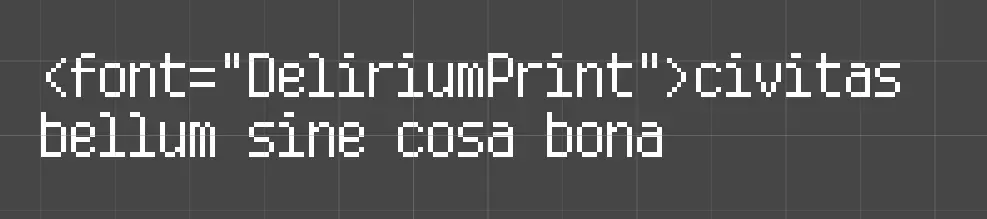
When first using the font tag, the immediate result would be it does not work.
First Intuition: Erroneous Settings
When this happens, whether you have googled or thanks to a detective instinct, you would realize something hasn’t been setup properly. And peeking at the Project Settings > TextMesh Pro > Settings, there is indeed a path that points to a resources directory. (Note the screenshot isn’t showing the default value, expect something like Fonts & Materials if this is the first time you see this).

Moving your font assets under the indicated path would resolve the issue.
Though, if you try to change the path to a custom path as I did, there’s a chance that it doesn’t work. This is because TMP internally stitches the path with a simple string concat rather than Path.Combine, and if you forgot to add a slash (”/”) at the end of your custom path, the stitched path would be incorrect. For example, if you are trying to use <font=“DeliriumHW”>:
-
Filling “Fonts” in the settings will cause TMP to call
Resources.Load("Resources/**Fonts**DeliriumHW") -
Filling “Fonts/” in the settings will cause TMP to call
Resources.Load("Resources/**Fonts/**DeliriumHW")
Second Intuition: Custom Loader
Resources.Load is definitely not the best practice to load things. What’s more, in Addressables, assets in Resources will be duplicated.
With some research, however, I was able to find an event that gets called before resorting to Resources.Load, and it is indeed intended to give us a chance to inject a custom loader. The event is:
TMP_Text.OnFontAssetRequestThis would be invoked with an integer and a string, with the string matching the requested font asset name.
Strangely, this event isn’t mentioned in TMP’s font tag documentation.
Example of a custom loader:
private TMP_FontAsset LoadFont(int arg1, string arg2) { TMP_FontAsset fontAsset; if (Application.isEditor && !Application.isPlaying) { // when in editor and not in play mode, we load with AssetDatabase fontAsset = AssetDbShorthand.FindAndLoadFirst<TMP_FontAsset>(arg2); } else { // load with Addressables var handle = Addressables.LoadAssetAsync<TMP_FontAsset>($"Fonts/{arg2}.asset"); fontAsset = handle.WaitForCompletion(); } return fontAsset; }Note that using this example directly is not advised, as it doesn’t keep the Addressables handle and can cause resource management problems
With the addition of this event, we can eventually manage font resources reasonably. It is also possible to preload the fonts in the loading phase to eliminate the impact of a synchronous load.
Some other events can be found around the OnFontAssetRequest event, e.g. sprite request. This would solve other related resource management issues that are strangely not covered by the official documentation.